
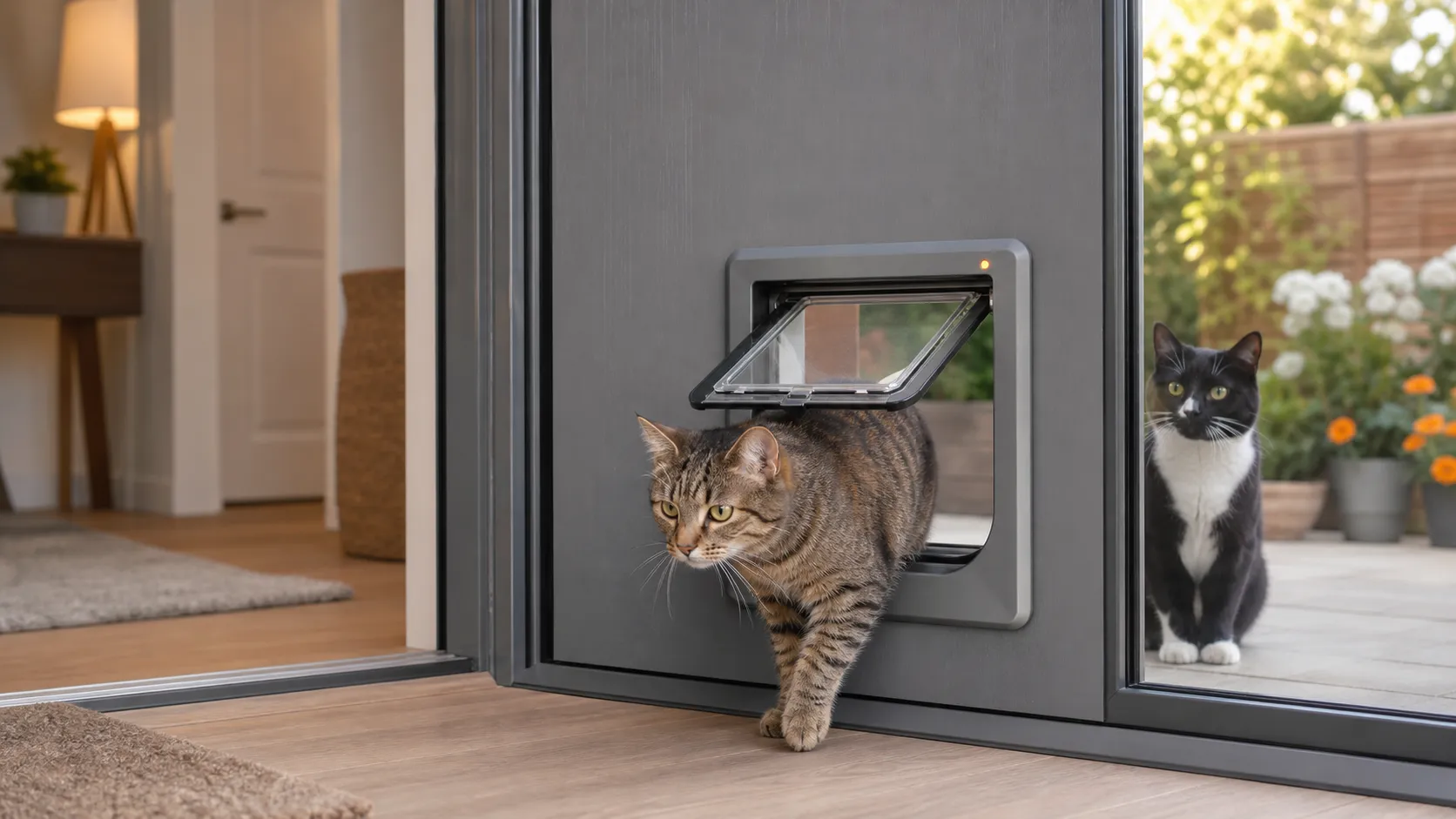

 Published sources
 Product details checked
An unauthorized cat walking into your home is a very different problem from a microchip cat flap failing to read your own cat. The flap may be working exactly as designed, or it may be in a non-selective setting, have a neighbor’s ID stored in memory, or have a catch that is no longer locking correctly.
Quick answer: First test whether the other cat can enter while your cat is nowhere near the flap. If it can, check the lock mode, training or open mode, saved microchip IDs, and the physical catch. If the other cat only gets in directly behind your cat, the likely cause is tailgating: an entry-only flap can be unlocked briefly while the authorized cat passes through. A two-sided model such as the SureFlap DualScan is the more relevant replacement when individual exit control or a persistent intruder is the real problem.
In this guide, you will learn:
- How to separate tailgating from a settings or hardware failure
- Which lock, training, curfew, and non-selective modes to check first
- How to clear and re-learn authorized cats without accidentally saving a neighbor’s cat
- Why a metal door, glass, wall depth, or nearby electronics can affect installation
- When a tunnel extender or mounting adaptor helps—and when it cannot solve the problem
- Which replacement flaps make sense for entry-only, multi-cat, and two-sided access control
Quick comparison: the product that matches the diagnosis
The table is intentionally short. A new entry-only flap is not automatically the right answer if an authorized cat is simply letting an intruder follow through an open door.
-
SureFlap DualScan Microchip Cat Door
SureFlap
Advanced DualScan technology allows you to set exit permissions for each of your up to 32 pets individually. Keep indoor cats in while letting outdoor cats out.
- DualScan technology - control exit per cat
- Learns up to 32 pet IDs
- Compatible with all common microchips
- Best for
- Tailgating or persistent intruder problems where two-sided control matters
- Key feature
- Individual exit control (DualScan)
-
SureFlap Microchip Cat Flap
SureFlap
Proven RFID microchip cat flap that learns up to 32 IDs with simple one-button programming. Battery-powered with low battery indicator and 3-year warranty.
- Works with 9, 10, 15-digit microchips
- Learns up to 32 pet IDs
- Simple one-button programming
- Best for
- Selective entry when the issue is a setting, learned ID, or installation check
- Key feature
- Selective entry by microchip
-
PetSafe Microchip Cat Door
PetSafe
Battery-powered microchip cat door with four locking modes and support for up to 40 programmed pets; a replacement option, not a drop-in part for a SureFlap cutout.
- Reads 15-digit FDX-B, 977, and 985 chips per manufacturer
- Up to 40 pets
- Locked, unlocked, in-only, and out-only modes
- Best for
- Replacing a failed entry-only flap with a 4-way lock
- Key feature
- 4-way microchip access
-
Closer Pets Microchip Activated Cat Flap (360)
Closer Pets
Affordable microchip cat flap with 4-way rotary lock and weatherproof design. It stores up to 30 pet IDs, but entry is selective while exit remains unrestricted.
- ISO and AVID compatible
- 4-way rotary lock (in/out, in only, out only, locked)
- Learns up to 30 pet IDs
- Best for
- Budget replacement when selective entry is enough
- Key feature
- 4-way lock control
-
SureFlap Microchip Cat Flap Mounting Adaptor
Sure Petcare
Mounting adapter for compatible SureFlap installations where the door or wall material requires the accessory; it is not a scan-range booster.
- Compatible accessory for selected SureFlap flaps
- Useful for glass and some difficult mounting situations
- Helps cover and secure the installation opening
- Best for
- Glass, metal, or oversized existing openings
- Key feature
- Mounting adapter
Review the linked product page before purchasing.
First identify what is actually happening
Before changing settings, watch one complete entry with the other cat kept in another room. The same symptom—“a strange cat got in”—can come from several different failures.
| What you see | Most likely explanation | First check |
|---|---|---|
| The other cat enters directly behind your cat | Tailgating while the flap is open | Watch whether the latch closes before the second cat reaches the tunnel |
| The other cat enters while your cat is nowhere near the flap | Non-selective mode, unlocked setting, or a failed catch | Test the flap in its locked/normal setting with no authorized cat nearby |
| The problem started after a reset or reprogramming | The wrong microchip or collar tag may have been stored | Clear the memory and learn one authorized cat at a time |
| The flap is installed in metal, glass, or a thick wall | Installation material or tunnel geometry may be affecting the reader | Check the exact model’s adapter, cutout, tunnel, and approach angle |
| The flap clicks but does not stay closed | Catch, flap, magnet, dirt, or low power problem | Clean the closing area and inspect the latch without forcing it |
| A cat pulls or paws the flap outward | Physical intruder behavior, not a normal chip match | Stop improvised modifications and check the model’s security mode or warranty |
This distinction is important: metal and electrical interference usually make an authorized cat harder to read. They do not turn an unknown microchip into an authorized one. If a foreign cat can enter alone, start with the setting and latch checks below.
The 20-second isolation test
Use this test before buying a replacement:
- Put every authorized cat inside and keep the suspected intruder away from the area.
- Set the flap to its normal selective-entry mode, not “unlocked,” “open,” or training mode.
- From the outside, gently test whether the closed flap can be pushed or pulled open without a recognized cat at the reader.
- Keep the authorized cat away, then observe the suspected intruder if it approaches naturally. Do not chase, trap, or handle an unfamiliar animal.
- If the intruder only succeeds after your cat has opened the flap, classify the problem as tailgating. If it opens alone, continue with settings, memory, catch, and installation checks.
Do not wedge the flap open, add a homemade weight, tape over a sensor, or bypass the motorized lock for testing. Those changes can create a pinch, escape, or welfare risk and can hide the original fault.
1. Check the setting that disables selective entry
The most common settings mistake is assuming that a cat flap is still selective because it has a microchip reader on the front. Many models also offer a deliberately non-selective mode for training, temporary use, or pets that are not yet chipped.
SureFlap and Sure Petcare settings
The standard SureFlap Microchip Cat Door is selective on entry, but its reader is on the outside. In normal use, only programmed pets can enter; any animal inside can leave. That is different from individual exit control.
The SureFlap Microchip Pet Door manual also documents a custom non-selective mode that turns the reader off and allows any animal to enter. If that mode is active, the solution is to clear it according to the exact manual—not to re-learn the same cat repeatedly. The same manual documents a separate, model-specific custom mode intended to give extra protection against a persistent animal trying to pull the flap open. Do not assume that either custom mode exists on every SureFlap generation.
Check the following before touching the memory:
- Is the reader icon or selective-entry indicator present?
- Is the flap in normal operation rather than unlocked or non-selective mode?
- Is a curfew or app schedule temporarily changing the lock behavior?
- Is the flap set to in-only, out-only, or fully locked when you think it is in normal mode?
- Is the unit still in a training procedure after a battery change or factory reset?
PetSafe settings
PetSafe’s Microchip Cat Door uses programmable entry and a four-way manual lock. The lock choices are locked, unlocked, enter-only, and exit-only. “Unlocked” is useful for training or temporary access, but it also removes the protection you are trying to restore.
PetSafe describes this model as selective entry for programmed microchips or a compatible cat-door key. If a foreign cat enters while the authorized cat is not present, verify the manual lock position and whether a key or microchip was accidentally programmed before assuming that the RFID reader is defective.
Closer Pets settings
The Closer Pets Cat Mate Microchip Cat Flap 360 is selective entry only. Its four-way dial controls movement, but it does not provide the same individual exit permissions as a two-sided DualScan-style design. Closer Pets’ support page specifically distinguishes the 360 from its ID-disc model when owners need different access rules for different cats.
Take a photo of the current dial, buttons, icons, or app state before changing anything. If the issue began after a move, cleaning, battery replacement, or training session, the photo gives you a reference point and prevents random button combinations.
2. Clear accidental IDs and re-learn one cat at a time
An unknown cat can be authorized if it was physically present while the flap was in learn mode. This is easy to do in a multi-cat home: the owner starts programming one pet, another pet walks through first, and the wrong ID is stored.
Sure Petcare’s manual explains that the next pet to pass through during learn mode is the one whose ID is saved. It also provides a memory-wipe procedure for the rare case where a neighbor’s pet was programmed accidentally. The exact buttons differ by model, so keep the manual for your device open.
Use this sequence:
- Record the current setting and the cats that should remain authorized.
- Keep every other cat, collar tag, and RFID key away from the flap.
- Use the exact memory-wipe or delete procedure for your model if you cannot identify the wrong ID individually.
- Exit the non-selective or training mode before programming, if the manual requires that order.
- Learn one authorized cat while the others are in another room.
- Test that cat several times, then repeat for the next authorized cat.
Do not assume that removing the batteries erases the memory. SureFlap says stored pet identities remain after battery removal, and Closer Pets says the microchip information is retained after a battery change. A power cycle and a memory wipe are separate actions.
Also check for a collar-based credential. SureFlap products can use compatible RFID collar tags, and PetSafe offers a cat-door key for cats without a compatible implanted chip. A tag or key on the wrong animal can look exactly like an unknown microchip being accepted.
Confirm the chip format when one cat behaves differently
Compatibility is model-specific. The standard SureFlap manual lists common 9-, 10-, and 15-digit microchips and compatible RFID collar tags. PetSafe’s product information focuses on 15-digit FDX-B, 977, and 985 chips. These specifications should not be mixed between brands.
If only one household cat is rejected after a clean re-learn, ask a veterinarian to scan and write down the complete chip number. If the reader accepts a compatible test tag but not the implanted chip, investigate the chip’s position, format, or range. That is a different problem from an unrecognized neighborhood cat getting in.
If you are also dealing with a flap that refuses to read your own cat, use the separate microchip cat flap troubleshooting guide rather than repeating the checks here.
3. Test for tailgating before replacing the flap
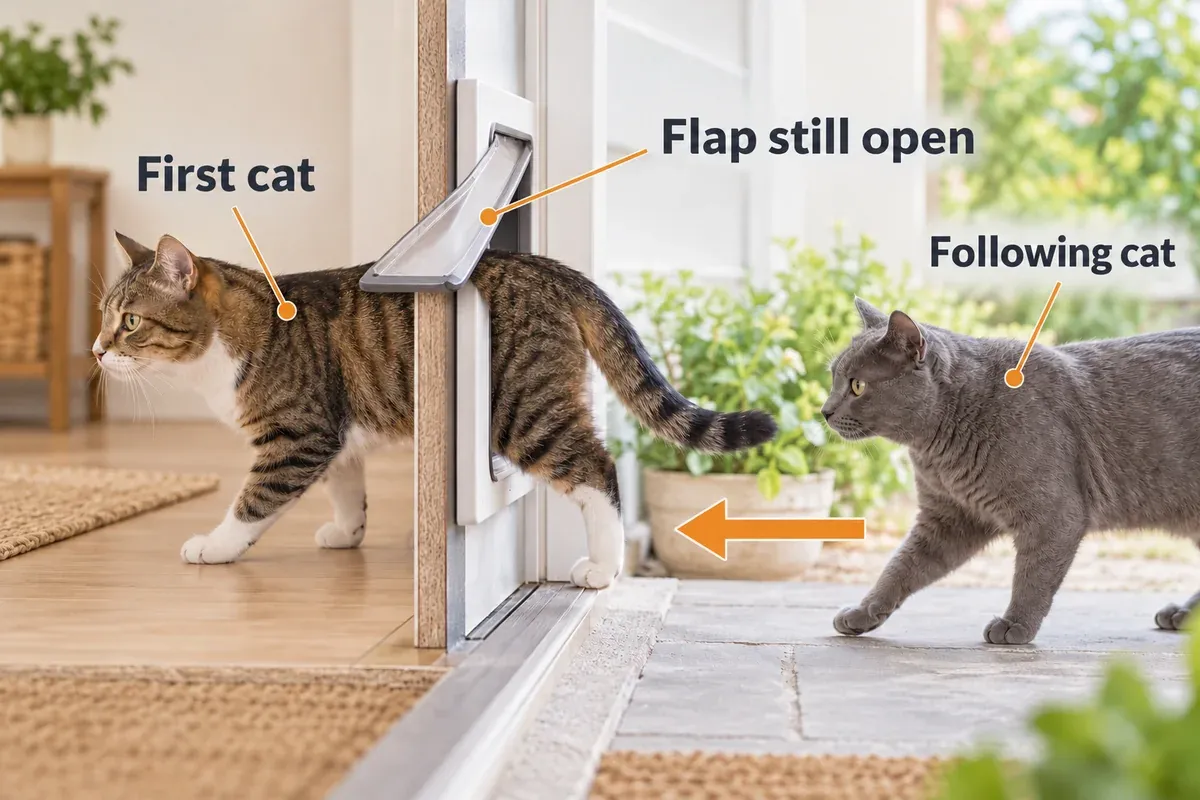
Tailgating means that an unauthorized cat follows an authorized cat through while the flap is unlocked. The microchip reader has identified the first cat; it does not get a second chance to scan a different cat while the opening is already clear.
Independent product testing from PetsRadar identifies tailgating as a way an intruder can enter even when a microchip flap is otherwise working. The standard SureFlap manual also explains that the entry-only design stays unlocked until the pet has passed through and then closes shortly afterward. That short window is the key limitation.
Try to observe the order rather than guessing:
- Authorized cat pushes the flap, walks fully through, and the latch closes before the second cat arrives: The second cat should be denied. If it is not, inspect the setting, catch, or memory.
- Authorized cat pauses, backs up, or waits in the tunnel: The latch may stay open longer. Move food, toys, or a visual trigger away from the flap and retrain the cat to continue through calmly.
- Authorized cat is followed immediately: Treat this as a design limitation of an entry-only flap, not proof that the intruder’s chip was read.
- Intruder paws the edge or pulls the flap outward: Treat this as a physical-security problem. Do not solve it with tape, screws through the flap, or a heavy object that could injure a cat.
For a short-term measure, use the correct in-only or fully locked setting during the hours when the intruder is active, provided your own cats have access to a litter box, water, food, and a comfortable indoor space. If the household needs different cats to have different exit permissions, an entry-only model is the wrong tool. The SureFlap DualScan is designed to set exit permissions per pet and to lock both directions in its standard operating mode.
No microchip flap can promise perfect exclusion in every real-world situation. A determined animal may exploit a physical gap, a damaged catch, a human-held-open door, or the brief passage window. The goal is to identify which of those situations you actually have before paying for more electronics.
4. Inspect the catch, flap, sensors, and batteries
If the other cat gets in alone, watch what the mechanism does with no authorized animal nearby. A healthy flap should remain physically closed and should not be easy to pull open from the outside.
With the unit in the safe locked state and power disconnected where the manual permits it, check:
- Whether the flap sits squarely in the frame rather than rubbing on one side
- Whether the catch clicks fully into place after a known cat passes
- Whether the magnetic closure is covered by fur, grit, or sticky residue
- Whether the draft excluder, flap edge, or frame is warped or cracked
- Whether screws are overtightened or the frame has been distorted during installation
- Whether the battery contacts show corrosion, leakage, or poor contact
The SureFlap manual places an optical presence sensor in the tunnel and warns that dirty sensor lenses can cause unreliable operation. It also notes that fur on the top draft excluder can obstruct the lenses, leave the unit scanning, and drain the batteries. Clean only the areas identified by the exact manual with a dry or lightly damp cloth; do not spray cleaner into the reader or motor.
Replace all batteries together with the correct size and chemistry. SureFlap, PetSafe, and Closer Pets all specify alkaline batteries for normal operation, but the number of cells and reset timing vary by model. A weak battery more often causes missed reads, slow locking, or repeated clicking than it causes a stranger’s chip to become authorized, but unstable power can make a marginal latch harder to diagnose.
Closer Pets’ 360 support page gives a model-specific check for a catch that is stuck down: remove the batteries for at least one hour, then install new good-quality alkaline batteries. That is not a universal reset instruction. Use the timing for your model and do not mix a Closer Pets procedure with a SureFlap or PetSafe button sequence.
If the catch still stays down, the flap can be pulled open with no authorized cat nearby, or the motor clicks continuously after fresh batteries, stop using it as an exterior security barrier. Contact the manufacturer or use the warranty process before opening the housing.
5. Check the installation: metal, glass, walls, and interference
Installation affects the reader’s range and the cat’s approach angle. It should be treated as a system: door material, cutout, frame, tunnel depth, seal, height, and nearby electronics all matter.
Metal doors and metal-skinned UPVC panels
The SureFlap manual says a metal plate can reduce reader range. It specifically calls out metal-skin, security, garage, and UPVC-coated metal doors. Its installation guidance uses a larger opening to leave a gap between the tunnel and the metal, with the manufacturer’s mounting adaptor used when more clearance is needed.
PetSafe likewise lists an installation adaptor for metal, glass, and brick, and a separate tunnel extension for wall installations. Closer Pets warns that metal panels can reduce microchip-reader range and recommends a model-specific adapter for thicker UPVC or metal panels.
The important boundary is this: an adapter changes the installation geometry; it is not a signal booster and it does not repair a faulty latch. If your authorized cat is intermittently rejected after a metal-door installation, the adapter may be relevant. If a foreign cat can open the flap while your cat is in another room, return to the setting and catch checks.
Wall depth and tunnel alignment
A deep wall needs the correct tunnel system so the cat can put its head fully into the reading zone and pass through without twisting. Sure Petcare’s accessory guidance says tunnel extenders can be stacked for wall installations and that each cat-door extender adds about 2 inches to the tunnel.
The extender does not amplify RFID. It only creates the correct physical approach and covers the wall opening. Measure the finished wall, confirm the exact model, and keep the tunnel level. A loose, tilted, or poorly sealed tunnel can also make the flap rub or fail to close.
Height and approach
The base of the tunnel should be close to the cat’s stomach height when standing, within the constraints of the door. If the outside ground is lower than the inside floor, provide a stable step or landing rather than forcing the cat to reach upward into the reader. The goal is a straight, repeatable head position—not a cat stretching diagonally through a narrow cutout.
Nearby readers and electrical noise
SureFlap warns against placing the reader near another microchip reader, low-frequency device, faulty flickering light, trailing mains cable, or DC adapter. Temporarily move obvious sources away from the flap and retest. This check is especially useful in a utility room, porch, garage, or multi-pet home with another RFID feeder nearby.
For glass cutting, a large wall opening, security door, or unknown door construction, use a qualified glazier or installer. Do not enlarge a structural or fire-rated door by guesswork.
If the installation itself is the problem, check the Check current price on Amazon → and the compatible Check current price on Amazon → only after measuring and confirming the model.
6. Reset in the least disruptive order
A reset can fix a stuck state, but a factory reset can also delete every authorized cat. Use this order:
- Photograph the buttons, dial, app state, and current lock mode.
- Write down every authorized cat and any collar tag or key in use.
- Put the flap into its fully locked state while you work.
- Replace the batteries only if the manual permits a simple power cycle, and wait the model-specific startup period before testing.
- Test the catch and one known authorized cat.
- Re-learn that cat alone if the reader still does not recognize it.
- Use a memory wipe or factory reset only when the saved IDs are wrong or the exact manual recommends it.
- After a wipe, learn and test each authorized cat separately.
For the standard SureFlap Microchip Pet Door, the manual describes holding the memory button for at least ten seconds to wipe stored IDs, then removing batteries for at least two minutes for a complete reset. The Closer Pets 360 support page uses a different one-hour battery-removal interval for a catch stuck down. These examples show why a generic “hold every button” recipe is unsafe advice.
After the reset, run three separate checks:
- Known authorized cat: Does the flap unlock only after the cat enters the reader zone?
- Unknown cat alone: Does the flap stay closed and latched?
- Authorized cat followed: Does the issue happen only during the open passage window?
The results tell you whether to reprogram, repair, manage the timing, or replace the model.
Products that match the specific failure
SureFlap DualScan Microchip Cat Door: best upgrade for individual exit control
Check current price on Amazon →The DualScan is the most relevant replacement when the problem is not a failed reader but insufficient control over both directions. The official product page describes per-pet exit permissions, standard locking in both directions, and protection against intruder animals. It is a better fit for a home with an indoor-only cat, a persistent intruder, or a cat that repeatedly creates an open-door opportunity.
It is a meaningful upgrade rather than a cheap repair, and it still requires correct installation and programming.
Pros:
- Individual exit permissions for different cats
- Two-sided locking behavior in standard operation
- 32-pet memory and common microchip compatibility
- Stronger match for mixed indoor/outdoor households
Cons:
- Costs more than entry-only models
- More settings to configure correctly
- Still cannot guarantee that no animal will ever exploit an open passage or damaged hardware
Best for: Tailgating, indoor-only cats, or persistent intruder pressure. Skip if: The existing flap is simply in unlocked mode or has a removable, model-specific catch part that would solve the fault.
SureFlap Microchip Cat Flap: replace a failed entry-only unit
Check current price on Amazon →The standard SureFlap is a sensible replacement when the diagnosis is a failed old reader, catch, or installation—not when you need per-cat exit permissions. Its entry-only design is intended to keep unrecognized animals out after the flap has closed, while animals already inside can exit. It stores up to 32 pet identities and supports common 9-, 10-, and 15-digit microchips plus compatible RFID collar tags.
Pros:
- Common microchip-format support
- Useful low-battery indicator and manual lock
- Good fit when a current flap has a settings or mechanical failure
Cons:
- Any animal inside can exit
- No individual exit permission per cat
- Metal, glass, and wall installations may need separate accessories
Best for: A straightforward selective-entry replacement after the checklist confirms the old unit is defective. Skip if: The actual failure is an intruder following directly behind an authorized cat.
PetSafe Microchip Cat Door: lower-cost replacement with four-way control
Check current price on Amazon →PetSafe’s model combines programmable entry with a manual four-way lock: locked, unlocked, enter-only, and exit-only. PetSafe lists capacity for up to 40 programmed pets and compatibility with 15-digit FDX-B, 977, and 985 chips. That makes it a practical replacement candidate when your existing unit has failed, but it is not a universal drop-in fit for another brand’s cutout.
Pros:
- Lower upfront price than the DualScan
- Four-way manual lock for temporary schedules and indoor management
- Up to 40 programmed pets per the manufacturer
- Manufacturer support clearly documents metal, glass, brick, and wall accessories
Cons:
- Chip compatibility is narrower than “all common chips” claims from some competitors
- New cutout or installation accessories may be required
- A manual unlocked setting can recreate the same intruder problem
Best for: A budget-conscious replacement when your cats use compatible 15-digit chips and the installation can be matched. Skip if: You need per-cat exit permissions or want to reuse an unverified existing opening without measuring it.
Closer Pets Microchip Activated Cat Flap 360: budget selective entry
Check current price on Amazon →The Closer Pets 360 is a budget option with selective entry, a four-way rotary lock, a brush-sealed flap, and storage for up to 30 pet IDs. The important limitation is that it is still entry-only: it does not provide the same individual exit control that solves mixed indoor/outdoor permissions.
Pros:
- Lowest price among the compared branded replacements
- Four-way physical lock and up to 30 stored cats
- Useful support documentation for common installation problems
- Brush and magnetic sealing for draft control
Cons:
-
Entry-only; not a per-cat exit-control solution
-
Adapter and door-thickness compatibility still need checking
Best for: A straightforward replacement when selective entry is enough and the budget is tight. Skip if: A determined intruder is tailgating or physically pulling the flap open.
SureFlap mounting adaptor and tunnel extender: installation parts, not security upgrades
Check current price on Amazon →When to stop troubleshooting and replace the flap
Replacement is reasonable when all of these are true:
- The flap is in normal selective-entry mode.
- The saved IDs have been checked or re-learned one cat at a time.
- Fresh, correctly sized alkaline batteries are installed.
- The sensor lenses, tunnel, draft excluder, flap edge, and catch are clean.
- An unknown cat can still enter alone, or the catch cannot stay closed.
- The installation has no unresolved metal, wall-depth, adapter, or interference problem.
- A model-specific power cycle and reset have not restored reliable locking.
Before replacing the whole door, ask the manufacturer about a model-specific replacement flap, catch pad, adapter, or warranty repair. If the product is only a few years old, a part can be more sensible than changing the cutout and retraining every cat.
If the replacement is meant to solve tailgating, compare the directional control, not only the reader brand. A new entry-only door may recognize chips perfectly and still leave the same passage window. For a broader comparison of selective-entry designs, see our microchip cat flap comparison. For a secure outdoor setup that adds a second boundary, see our catio guide.
Frequently Asked Questions
Can a microchip cat flap stop every other cat from entering?
It should keep an unprogrammed animal out when the flap is closed and the reader is active, but no product guarantees exclusion in every circumstance. Tailgating, a paw holding the flap open, a damaged catch, an unlocked setting, or a manually open door can defeat the intended barrier.
Why can another cat get in behind my cat?
The authorized cat has already triggered the opening. The flap may remain unlocked until that cat has fully passed through and the latch closes. If the second cat follows during that window, the reader may never evaluate the second animal. Individual exit control or a second physical barrier is more relevant than reprogramming.
Can my cat flap accidentally learn a neighbor’s cat?
Yes, if an unknown animal is present while the unit is in learn mode and becomes the next animal to pass the reader. Clear the memory using the exact model instructions, keep all other animals and tags away, and learn each authorized cat separately.
Does changing batteries erase the stored cats?
Not on the SureFlap and Closer Pets models cited here. Their documentation says the stored IDs remain after a battery change. A memory wipe or factory reset is a different operation and can remove the saved identities.
Will a mounting adaptor make the reader stronger?
No. A compatible adaptor can create the required clearance and cover a glass, metal, or oversized opening. It cannot amplify the RFID signal or fix a motor, catch, or incorrectly selected lock mode.
What should I do if the flap is set to selective entry but the intruder pulls it open?
Stop adding weight, tape, screws, or other homemade modifications. Check whether your exact model has a documented security mode, inspect the catch, and contact the manufacturer. If the household needs two-sided locking, compare a DualScan-style model rather than another entry-only flap.
Can I set one cat to come in but not go out?
That depends on the model. Standard entry-only flaps usually control entry for unrecognized animals but allow animals already inside to exit. A two-sided model such as SureFlap DualScan is designed for per-pet exit permissions. Some Closer Pets access rules require an ID-disc model rather than the implanted-microchip 360 model.
When should I call a veterinarian?
Call a veterinarian if one of your own cats is not recognized after fresh batteries, cleaning, correct scan position, and a model-specific re-learn. The veterinarian can scan the chip, confirm its full ID, check for migration, and help determine whether the chip format or range is compatible.
Final verdict
If another cat gets in only immediately behind your own, the flap is probably not “reading the wrong chip.” It is an entry-only design being used during an open passage window. Improve the approach and timing, use a temporary in-only schedule when appropriate, or move to a model with two-sided and per-cat exit control.
If the other cat enters while your cat is nowhere near the flap, start with the normal/selective setting, memory, collar tags, catch, batteries, and installation. A metal door or wall can reduce reader range, but an unknown cat entering alone points first to an unlocked mode, a stored ID, or a physical lock problem.
The safest purchase is the one that matches that diagnosis: an accessory for a measured installation issue, a standard selective-entry replacement for a failed unit, or a DualScan-style door when the household needs genuine control over both directions.
Sources and model differences
The strongest technical sources used for this troubleshooting guide are the model-specific manufacturer pages and manuals:
- SureFlap Microchip Cat Door product information — selective entry, manual lock, stored identities, and installation dimensions.
- SureFlap Microchip Pet Door manual (PDF) — one-way operation, memory wipe, non-selective mode, metal-door clearance, interference, sensor cleaning, and reset details.
- SureFlap DualScan Microchip Cat Door — per-pet exit permissions and two-sided access control.
- Sure Petcare installation accessories — mounting adaptor and tunnel-extender use.
- PetSafe Microchip Cat Door — chip compatibility, four-way lock, and installation accessories.
- Closer Pets Microchip Cat Flap 360 support — selective-entry behavior, catch troubleshooting, batteries, and metal-panel limits.
- PetsRadar microchip cat flap testing — secondary source for the real-world tailgating limitation.
Use the source and instructions for the exact model in your door. Lock modes, reset timing, chip formats, tunnel requirements, and replacement parts are not interchangeable across brands.