

 Published sources
 Product details checked
Leaving a dog home alone can make you wonder whether he is sleeping peacefully, pacing, barking at the hallway, or trying to turn the sofa into an escape route. The best dog camera gives you useful evidence without turning every notification into another source of stress.
This guide compares five strong options for US homes: one made for interaction, two flexible 2K cameras, a low-cost monitor, and a compact Alexa-friendly pick. The right choice depends less on the longest feature list than on the question you need the camera to answer.
Quick Answer: Which Dog Camera Is Best?
- Best overall for interacting with your dog: Furbo 360° Dog Camera. It combines a rotating view, barking alerts, two-way audio, and treat tossing.
- Best for privacy and local storage: TP-Link Tapo C225. Its physical privacy mode and microSD option make it easier to control when the camera is watching and where clips live.
- Best 2K value: eufy Security Indoor Cam E220. It brings pan/tilt, motion tracking, and 2K detail to a lower price tier.
- Best budget option: Kasa EC70. It covers basic live viewing and motion alerts for much less money, as long as 1080p is enough for your room.
- Best compact Alexa pick: Blink Mini 2K+. It is small, sharp, and easy to place, but its smartest alerts and cloud features depend more heavily on a subscription.
Quick Comparison: Best Dog Cameras
-
Furbo 360° Dog Camera
Furbo
A dog-focused rotating 1080p camera with treat tossing, two-way audio, color night vision, and barking alerts without a required subscription for core camera features.
- Rotating 360° view with automatic tracking
- 1080p video, color night vision, and two-way audio
- Treat toss and barking alerts for more active check-ins
- Best for
- Spotting barking triggers and checking on dogs when you are away
- Video
- 1080p Full HD
- Storage
- Video history and smart features vary by plan
-
TP-Link Tapo C225 Pan/Tilt Pet Camera
TP-Link
A 2K pan/tilt camera with a physical privacy mode, pet detection, color night vision, and flexible local or cloud storage.
- 2K QHD video with 360° horizontal coverage
- Physical privacy mode that covers the lens
- Pet detection, motion tracking, and microSD storage up to 512GB
- Best for
- Privacy-conscious homes and local microSD storage
- Video
- 2K QHD
- Storage
- microSD up to 512GB or optional Tapo Care cloud
-
eufy Security Indoor Cam E220
eufy
A compact 2K indoor camera with pan/tilt coverage, motion tracking, night vision, and compatibility with eufy's HomeBase ecosystem.
- 2K video with pan/tilt coverage and motion tracking
- Pet and person motion alerts with night vision
- Works with selected eufy HomeBase devices and voice assistants
- Best for
- 2K value with pan/tilt and a local-storage path
- Video
- 2K
- Storage
- Local microSD or compatible HomeBase; cloud varies by setup
-
Kasa EC70 Indoor Pan/Tilt Pet Camera
Kasa Smart
A simple 1080p pan/tilt camera that covers the essentials for live check-ins without requiring a treat dispenser or premium hardware.
- 1080p video with pan/tilt control
- Motion detection, tracking, night vision, and two-way audio
- Local microSD recording or optional cloud storage
- Best for
- Low-cost live viewing and basic motion alerts
- Video
- 1080p Full HD
- Storage
- Local microSD or optional Kasa Care cloud
-
Blink Mini 2K+ Indoor & Pet Camera
Blink
A small plug-in 2K camera with enhanced audio, night vision, motion detection, and a low-profile design for a shelf or desk.
- 2K video with a wide 138° field of view and 4x zoom
- Color night vision, enhanced audio, and motion detection
- Simple fit for homes already using Alexa and Blink devices
- Best for
- Compact monitoring in an Alexa-friendly home
- Video
- 2K
- Storage
- Cloud plan or compatible Sync Module local storage
Review the linked product page before purchasing.
The 5 Best Dog Cameras
1. Furbo 360° Dog Camera — Best Overall for Interaction
Check current price on Amazon →The Furbo 360° is the easiest recommendation when your main goal is to check in actively rather than simply watch a room. Its rotating view can follow movement, and the combination of two-way audio, barking alerts, and treat tossing gives you several ways to respond when your dog is restless.
The important distinction is that the camera itself and Furbo Nanny are separate parts of the experience. You can use the basic camera for live viewing and interaction without treating a subscription as mandatory. More advanced alerts, video history, and broader smart features depend on the paid plan, so include that recurring cost in your decision if you want the full Furbo experience.
Why We Recommend It
The 360° movement matters in homes where a dog can leave one end of a room and disappear behind furniture. Treat tossing is useful for a calm check-in or a simple enrichment routine, but it is not a substitute for training, exercise, or a person stepping in when a dog is genuinely distressed.
Key Features
- 1080p Full HD live video
- Rotating 360° view and automatic tracking
- Color night vision
- Two-way audio
- Barking alerts and treat tossing
- Indoor, plug-in design using 2.4 GHz Wi-Fi
Pros & Cons
Pros:
- The most interactive option in this comparison
- Rotating coverage reduces the chance of losing a moving dog
- Barking alerts add useful context to live check-ins
Cons:
- Advanced alerts and history add an ongoing Furbo Nanny cost
- Treats must be small, firm, and compatible with the dispenser
- 1080p is adequate for monitoring but not the sharpest image here
Bottom Line
Choose the Furbo 360° if you will genuinely use the interaction features. If you only want a quiet live view and local recording, a Tapo, eufy, or Kasa camera will usually make more sense and cost less over time.
Best for: Dogs who benefit from short, calm check-ins and owners who want barking alerts.
Skip if: You do not want a subscription possibility or your dog does not need treat-based interaction.
Direct-brand alternative: Petcube Bites 2 Lite
Petcube Bites 2 Lite is the closest direct alternative when the treat dispenser matters but a fixed 160° view is enough for the room. Its product page lists 1080p video, two-way audio, night vision, and app-controlled treat tossing. Compare the current Petcube Care terms separately, and check that your treats match the dispenser before buying.
View Petcube Bites 2 Lite →2. TP-Link Tapo C225 — Best for Privacy and Local Storage
Check current price on Amazon →The Tapo C225 is the strongest fit for a household that wants detailed video but also wants a clear answer to “When is this camera actually looking?” Its physical privacy mode covers the lens, and the camera supports local microSD storage alongside optional Tapo Care cloud features. That combination gives you more control than a cloud-only monitor.
The C225 also makes sense for a dog who moves around a large room. Its pan/tilt design and 360° horizontal coverage help you check a bed, doorway, and water bowl without buying multiple fixed cameras. Pet detection, motion tracking, and color night vision add useful context, though no alert system is perfect: sunlight, shadows, other pets, and moving curtains can all create false positives.
Why We Recommend It
Privacy is not a small feature in a camera that may be pointed into your living space for years. A physical lens cover is easier to verify than a software setting alone. Local storage is also useful if you want event clips without sending every recording to the cloud, although you still need to configure the microSD card, retention behavior, and app permissions carefully.
Key Features
- 2K QHD video
- 360° horizontal coverage with pan/tilt control
- Physical privacy mode with a lens cover
- Person, pet, and vehicle detection plus motion tracking
- Color night vision
- Local microSD storage up to 512GB or optional Tapo Care cloud storage
Pros & Cons
Pros:
- Best privacy story in this group because the lens can be physically covered
- Local storage can reduce dependence on a monthly cloud plan
- 2K detail and broad movement coverage suit larger rooms
Cons:
- It is a plug-in indoor camera, not a battery device
- Local storage still requires setup and a compatible microSD card
- Smart alerts can still generate false positives
Bottom Line
The Tapo C225 is the balanced choice when privacy, local storage, and useful movement coverage matter more than treat tossing. It is also a good fit for a dog who simply needs observation rather than remote interaction.
Best for: Privacy-conscious homes, local recording, and dogs who move through one large room.
Skip if: You want a camera that can deliver treats or operate without a wall outlet.
3. eufy Security Indoor Cam E220 — Best 2K Value
Check current price on Amazon →The eufy Indoor Cam E220 is a good middle ground for shoppers who want 2K detail and pan/tilt coverage without moving into a premium dog-specific camera. It can track motion, distinguish useful alert categories such as people or pets, and fit into selected eufy HomeBase setups. That makes it appealing if you already use eufy devices or want a local-storage route you can expand later.
It is not a treat dispenser and it does not replace a dedicated behavior-monitoring service. Its value is in the everyday basics: open the app, see what is happening, speak through the camera, and review the event that caused an alert. For many homes, that is enough.
Why We Recommend It
The E220 puts the image quality most people actually need into a relatively affordable indoor camera. 2K can make a meaningful difference when your dog is at the far end of a room or when you are trying to see whether he is resting, scratching at a door, or carrying something unsafe. Pan/tilt coverage also keeps one camera useful after you rearrange furniture.
Key Features
- 2K video with pan and tilt
- Motion tracking and pet/person alerts
- Night vision
- Two-way audio
- Compatibility with selected eufy HomeBase devices and voice assistants
- Local microSD or compatible HomeBase storage options, with cloud features depending on setup
Pros & Cons
Pros:
- Strong detail-to-price balance
- Pan/tilt and motion tracking are useful in a shared living room
- Flexible path toward local storage or a wider eufy setup
Cons:
- Plug-in and 2.4 GHz Wi-Fi only
- Storage behavior depends on the hardware and plan you choose
- No treat toss and no dog-specific physical interaction
Bottom Line
Pick the E220 if you want a clear 2K view and useful motion tracking while keeping the camera cost moderate. It is the practical value choice for a dog who needs monitoring, not entertainment.
Best for: 2K video, pan/tilt, and shoppers who may build around an existing eufy setup.
Skip if: A physical privacy shutter or remote treat tossing is a must-have.
4. Kasa EC70 — Best Budget Dog Camera
Check current price on Amazon →The Kasa EC70 is the sensible low-cost answer when you mainly want to open an app and see whether your dog is okay. It offers 1080p video, pan/tilt control, night vision, motion detection, motion tracking, and two-way audio. For a small apartment or a single-room setup, that is a surprisingly complete baseline.
The trade-off is not hidden: the EC70 does not offer 2K detail, a physical privacy shutter, or a treat dispenser. Its feature set also feels more like a general indoor security camera than a dog-specific monitor. That is exactly why it can be good value, but it is not the pick for shoppers looking for a polished pet-care ecosystem.
Why We Recommend It
The EC70 keeps the purchase decision simple. If the camera will sit in one room, your dog is easy to see, and you are comfortable with 1080p, there is little reason to pay for features you will not use. Local microSD recording can also make occasional event review possible without committing to a cloud plan.
Key Features
- 1080p Full HD video
- Pan/tilt control and motion tracking
- Motion alerts and night vision
- Two-way audio
- Local microSD recording or optional Kasa Care cloud storage
- Plug-in 2.4 GHz indoor design
Pros & Cons
Pros:
- Lowest estimated price in this comparison
- Covers the everyday live-view basics
- Local recording option is available
Cons:
- Less image detail than the 2K alternatives
- No physical privacy shutter or treat dispenser
- General-purpose app and alerts may feel less pet-focused
Bottom Line
The Kasa EC70 is the right starting point if you want basic reassurance with a simple feature set. Choose the Tapo or eufy when image detail, privacy, or storage flexibility matters more than the initial commitment.
Best for: A single-room, low-cost setup for live checks and basic alerts.
Skip if: You need the sharpest image, strong privacy controls, or active interaction.
5. Blink Mini 2K+ — Best Compact Alexa-Friendly Pick
Check current price on Amazon →The Blink Mini 2K+ is a small camera for shoppers who want a tidy shelf or desk setup, already use Alexa, or value a wide view from a fixed camera. The 2K resolution, 138° field of view, 4x zoom, night vision, enhanced audio, and motion detection make it capable for a compact monitor.
The subscription details deserve more attention here than they do with a simple live-view camera. The product includes a 30-day Plus trial, but smart alerts and cloud features after the trial depend on the Blink plan. Local storage is possible with the appropriate Sync Module setup, which adds another piece of hardware and another decision. That is not automatically bad; it just changes the true cost of ownership.
Why We Recommend It
The Mini 2K+ is easy to hide in plain sight and easy to move when your dog’s routine changes. A wide fixed view can be enough for a crate area, a small room, or the corner where your dog sleeps. It is also a natural fit when Alexa routines and existing Blink cameras already form part of your home setup.
Key Features
- 2K video resolution
- 138° field of view and 4x zoom
- Color night vision and enhanced audio
- Motion detection and two-way audio
- Alexa compatibility
- Cloud storage plan or compatible Blink Sync Module for local storage
Pros & Cons
Pros:
- Small footprint and simple placement
- More detail than a basic 1080p camera
- Convenient for Alexa and existing Blink households
Cons:
- Smart alerts become more limited without a subscription
- Local storage requires the right Sync Module setup
- Fixed view means no pan/tilt or treat interaction
Bottom Line
Choose the Blink Mini 2K+ when compact placement and Alexa integration are central to your setup. If you want control over storage without extra hardware, the Tapo C225 or eufy E220 is the cleaner fit.
Best for: Small indoor spaces, Alexa users, and fixed wide-angle monitoring.
Skip if: You want a physical privacy mode, pan/tilt, or the fewest subscription decisions.
How to Choose the Right Dog Camera for Your Home
1. Start with the behavior you need to see
Do not begin with “Which camera has the most features?” Begin with “What will I do with the information?”
- If you need to know whether your dog is resting, a fixed or pan/tilt live camera may be enough.
- If you need to know whether barking lasts two minutes or two hours, barking or sound alerts matter more than 4K video.
- If you want to redirect a calm dog, two-way audio or a treat dispenser can help.
- If you are investigating separation distress, a camera can reveal patterns, but it cannot treat the distress. A qualified trainer or veterinarian may be needed for the next step.
This is why the Furbo 360° leads for interaction while the Kasa EC70 can still be the smarter choice for simple reassurance.
2. Decide whether you need pan/tilt
A fixed camera works when the dog stays in a crate, pen, or defined corner. Pan/tilt becomes worthwhile when your dog crosses a room or when furniture creates blind spots. Place the camera high enough that your dog cannot knock it down, but not so high that the room becomes a distant security view. A shelf facing the resting area is usually more useful than a ceiling corner.
Before relying on the camera, walk through the room in the app and check the exact view at your dog’s eye level. Look for a water bowl, door, crate, and any place where a collar or toy could catch. One minute of placement testing is more useful than another specification comparison.
3. Treat storage and subscriptions as part of the price
Most dog cameras have three different experiences:
- Live view: usually the core function and often available without a monthly plan.
- Smart analysis: person, pet, barking, or other alerts that may be tied to a subscription.
Ask which of these you actually need. The Tapo C225 and Kasa EC70 offer a local-storage path, while the Blink Mini 2K+ makes the plan and Sync Module decision more prominent. Furbo’s advanced dog-specific features are the clearest example of a camera whose full value depends on an optional service.
4. Put privacy controls on your checklist
A camera pointed into a living room is part of your home network and your private life. At minimum:
- Use a unique password and enable two-factor authentication when offered.
- Keep the camera firmware and app updated.
- Check who can access the camera and remove old household accounts.
- Prefer a physical privacy mode if the camera will point toward people regularly.
- Turn off audio or move the camera when you do not need it.
- Decide how long recorded clips should remain available.
The Tapo C225 stands out because its physical lens cover provides an obvious state change. With a software-only privacy setting, confirm the indicator and app status every time you change the setting.
5. Be realistic about alerts
An alert is only useful if you can act on it. If a camera sends a notification for every shadow, leaf, and tail movement, you will eventually ignore it. Start with a small number of alerts, observe the false-positive rate for a week, and adjust the detection zone and sensitivity.
Barking alerts are especially easy to overinterpret. A camera may detect sound without knowing whether your dog is frightened, excited, or responding to a delivery. Use alerts to find patterns, then watch a clip or observe the room before deciding what the behavior means.
6. Remember the safety limits
A dog camera is a monitoring tool, not a replacement for care. It cannot cool a hot room, remove a collar caught on furniture, stop a toxic object from being swallowed, or provide the company a dog needs for the whole day. Treat tossers also require thoughtful portions and safe treats. If your dog guards food, has swallowing problems, or becomes more frustrated when you speak through a camera, use the device more conservatively.
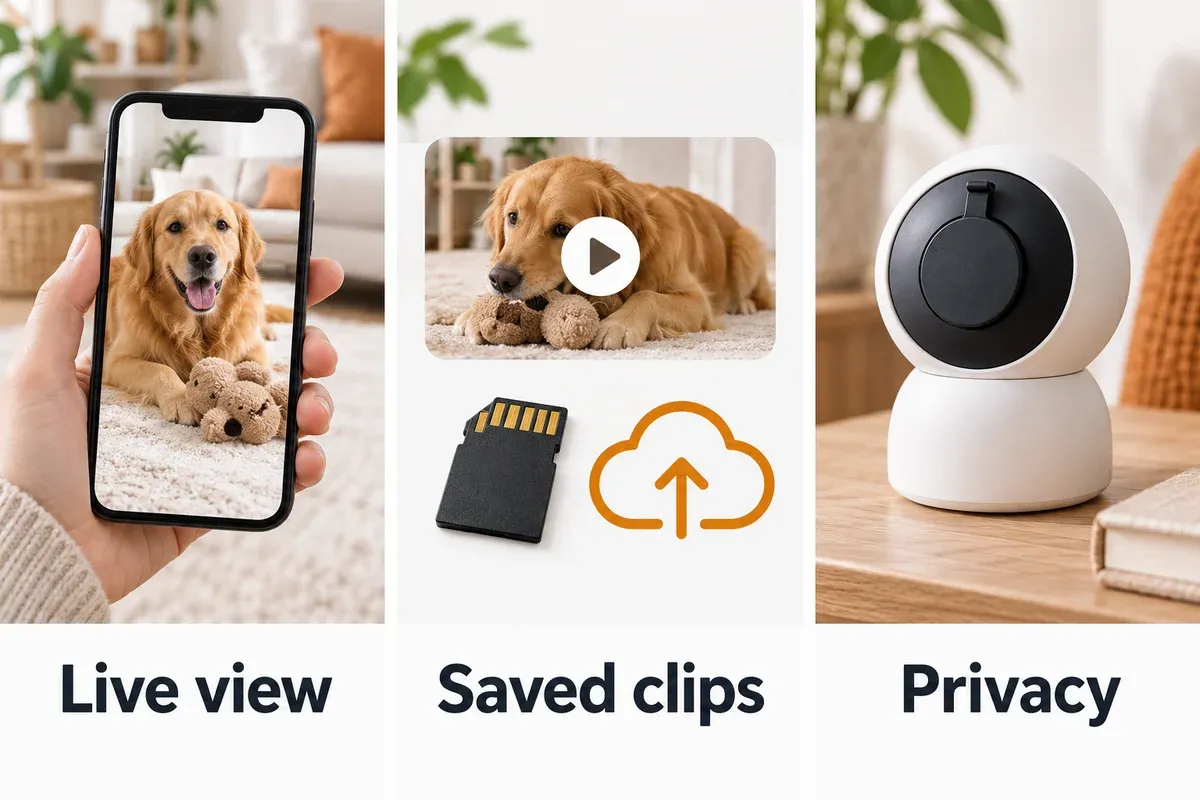
The three panels show separate features to compare; check each model for the viewing, recording and privacy controls you need.
A Simple Decision Path
Use this short path if you want a recommendation without comparing every specification:
- Want to toss treats and respond to barking? Start with the Furbo 360°.
- Want the lens to be physically covered and clips stored locally? Start with the Tapo C225.
- Want 2K pan/tilt at a moderate price? Start with the eufy E220.
- Want the least expensive useful live view? Start with the Kasa EC70.
- Want a small fixed camera for an Alexa home? Start with the Blink Mini 2K+.
If two options still look close, choose based on storage and privacy first. Video resolution is easy to compare; the way a camera behaves in your home every day is what determines whether it remains useful.
Frequently Asked Questions
Is a dog camera worth it?
It can be worth it when you have a specific question the camera can answer: whether a dog settles after you leave, how long barking lasts, or which room he prefers. It is less useful as a source of constant reassurance if you cannot act on what you see. A camera should reduce uncertainty, not create a stream of notifications you feel obliged to monitor.
Do dog cameras need a subscription?
Not always. Live view and basic two-way audio are often available without a monthly plan. Subscriptions commonly pay for cloud video history, advanced detection, barking alerts, or longer clip retention. Cameras with microSD or hub-based local storage can reduce recurring costs, but they may require a card or additional hardware.
Is 2K worth it for a dog camera?
2K is useful when the camera is far from the dog, the room is large, or you want to identify what is happening at the edge of the frame. It is not essential for a small crate area or a close fixed view. Better placement often improves usefulness more than moving from 1080p to a higher resolution.
Can a dog camera help with separation anxiety?
It can help you observe the pattern and share useful information with a trainer or veterinarian. It cannot diagnose or treat separation anxiety by itself. If your dog is panicking, trying to escape, injuring himself, or unable to settle, prioritize professional guidance and a safer alone-time plan over more camera features.
Where should I place a dog camera?
Place it on a stable surface above paw level, with a clear view of the areas that matter: resting spot, doorway, water, and any confinement area. Avoid a backlit window, a location your dog can reach, and a position where the power cable can be chewed. Test the view in the app while standing where your dog will be.
Do dog cameras work without Wi-Fi?
Most smart dog cameras need Wi-Fi for remote live viewing and notifications. Some can continue recording locally during an internet outage, but that depends on the model and storage setup. A camera cannot send a live image to your phone without a network connection, so test your router coverage in the chosen room.
Are treat-dispensing cameras safe?
They can be safe when used with small, appropriate treats, sensible portions, and supervision during the first few sessions. Do not use a dispenser as a way to distract a dog who is already panicking, and do not leave a treat system as the only safety plan for a dog who chews or guards objects. Clean the dispenser and follow the manufacturer’s size guidance.
Final Verdict
For most homes, start by choosing the type of interaction you actually need:
- Furbo 360°: best if remote interaction and barking alerts are the point.
- Tapo C225: best if privacy and local storage are priorities.
- eufy E220: best all-around 2K value.
- Kasa EC70: best low-cost way to start monitoring.
- Blink Mini 2K+: best compact option for Alexa and Blink households.
Whatever you choose, spend as much time on placement, privacy settings, and alert tuning as you do on the product page. A well-positioned basic camera can answer the right question better than an expensive camera aimed at the wrong corner.