

 Published sources
 Product details checked
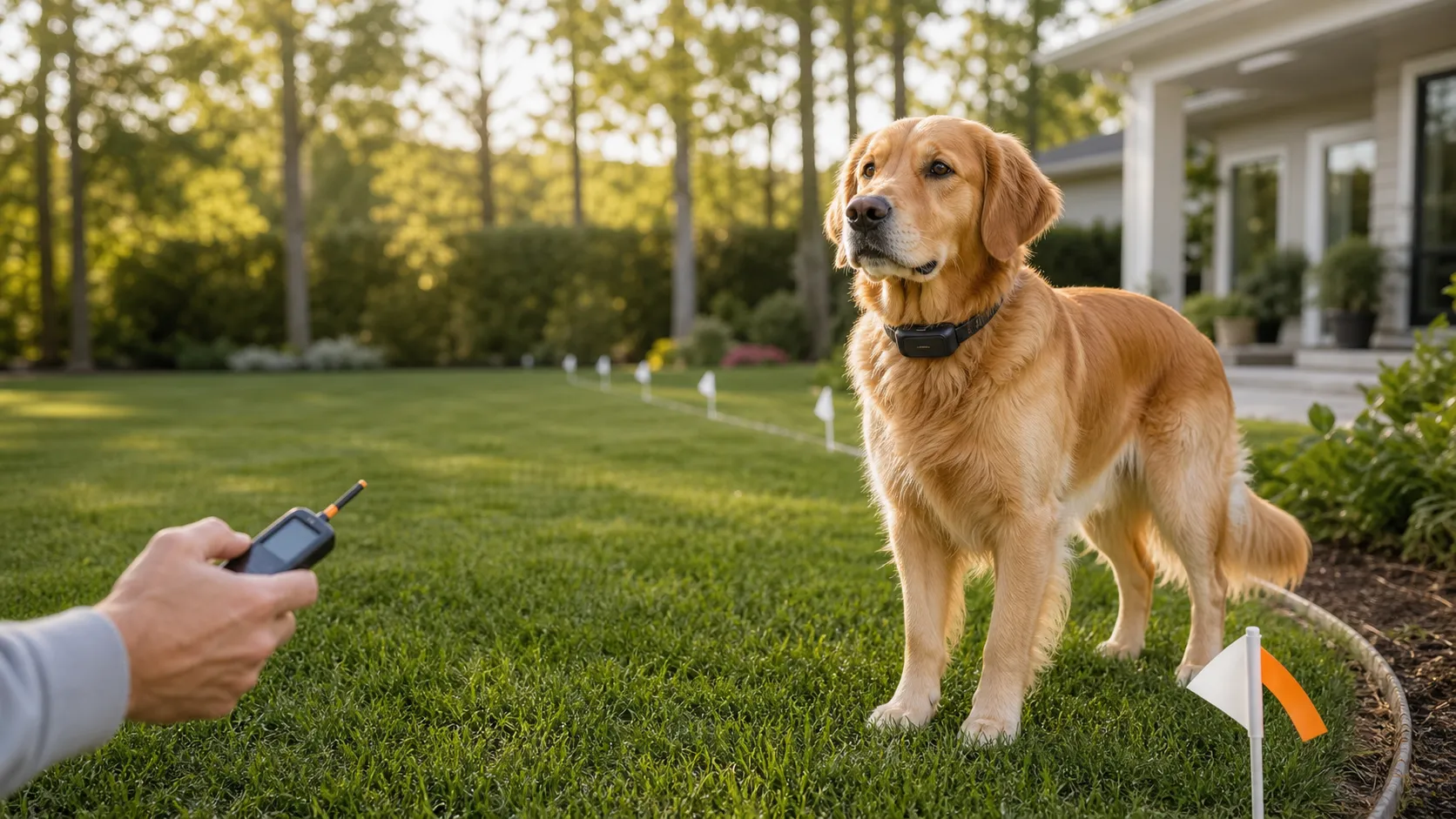
If your wireless dog fence boundary keeps moving, remove the receiver collar and keep your dog in a secure enclosure or on a leash while you test. Identify whether the boundary comes from a circular radio-frequency (RF) transmitter or GPS coordinates. Then check power, preserve the existing settings, and repeat the same approaches with the collar in your hand. A new collar or a stronger correction cannot fix the wrong boundary shape or an unsuitable location.
For a circular RF fence, start with the transmitter and the environment around it. For a GPS fence, start with reception, the fence saved to the collar, and the exact status shown during a test. If only your phone’s map or escape notification is wrong, investigate that separately from the collar’s response.
The model-specific instructions below cover PetSafe PIF-300, Stay & Play for Stubborn Dogs PIF00-13663, and Guardian GPS 2.0 PIF00-18096. Other models may use different test positions, reset procedures, and signal-loss behavior. Use the manual matching the model on your equipment.
In this guide:
- Identify RF, GPS containment, or tracking only
- Follow the short model-specific check
- Record the boundary on a repeatable measurement sheet
- Troubleshoot a circular RF fence
- Troubleshoot a GPS fence
- Use the results to choose a repair or replacement
Identify your fence before changing anything
“Wireless fence” describes more than one type of equipment. The quickest way to identify yours is to look at what creates the boundary.
| System | What creates the boundary | What to investigate first |
|---|---|---|
| Circular RF fence, such as PIF-300 or Stay & Play | A powered indoor transmitter communicates with a receiver collar; the transmitter is the center of the circle | Base power, placement, boundary dial, nearby objects, and receiver behavior |
| GPS containment fence, such as Guardian GPS 2.0 | The collar compares its GPS position with a saved digital boundary | GPS reception, assigned fence, saved changes, collar battery, and test status |
| Location tracker with a geofence alert | The app notifies you when the reported location crosses a digital zone | Location updates, reporting connection, and phone notifications |
| In-ground electronic fence | A transmitter sends a signal through a boundary-wire loop | Wire layout, loop continuity, transmitter, and compatible receiver |
The PIF-300 product information describes a circular boundary whose shape cannot become a rectangle. Guardian GPS 2.0 instead stores the digital boundary on the collar; its charging base is not the center of an RF containment circle. See the Guardian GPS 2.0 user guide, “How it works”.
A tracker can also use the words “Virtual Fence” without providing a containment response. For example, Tractive Virtual Fences send crossing notifications to your phone. Treat an alert as information that you need to act on. It does not physically stop an escape.
If finding a missing dog is your main concern, compare GPS dog trackers and their reporting methods. If keeping the dog inside an outdoor area is the concern, first assess the enclosure itself. Our outdoor dog kennel size planner covers usable space, shelter, flooring, and the checks a physical run needs.
Make the test safe before touching settings
PetSafe’s PIF-300 manual, safety information on pages 2–3 states that the system is not a solid barrier and cannot guarantee containment for every pet. It also warns against testing the transmitter or removing system power while the receiver is on the dog.
Keep the dog away from the test area and use a separate collar or harness for the leash. Hold the receiver by its housing or strap as directed, and use the supplied test light when an electrical-output check is required. Keep your fingers away from the contact points. The dog should never have to receive a correction so that you can find out where the boundary is.
Do not keep walking into a road, neighboring property, pond, or another hazard to find an alarm. If the collar fails to warn before your safe stopping point, record “no warning before stop” and return. That result is enough to pause use and continue troubleshooting safely.
A virtual boundary also leaves the yard open to other animals. VCA Animal Hospitals’ overview of invisible fences describes both entry by stray dogs or wildlife and escape when a dog chases something or becomes frightened. A correctly repeating electronic test does not remove those risks.
A short check for your model
Use this sequence when you need a clear starting point. The later sections explain how to measure and interpret the results.
- Read the model labels. Record the transmitter or base model and the receiver model separately. A shared brand name is not enough to identify the test procedure or a replacement part.
- Confirm power. Note the base’s indicator, the adaptor in use, and the collar’s battery status. Fix a power fault before measuring the boundary.
- Preserve the setup. Photograph RF dial settings and base placement, or save the GPS fence name, assigned pet, and boundary screenshot. Leave flags and settings alone for the first comparison.
- Repeat fixed approaches. Use four sides of the yard plus the reported problem spot. Follow the matching manufacturer’s handheld test, reset the receiver between passes as instructed, and record each result.
- Classify the fault. Separate a power or receiver problem, a repeatable site problem, a GPS reception problem, a saved-fence problem, and a phone-reporting problem. Change one condition and repeat before deciding what to replace.
| Model | First model-specific check | Matching instructions |
|---|---|---|
| PetSafe PIF-300 | Confirm the supplied receiver’s RFA-67 battery and indoor base power; record the boundary switch and dial | PIF-300 manual: receiver preparation, boundary setup, and troubleshooting |
| Stay & Play for Stubborn Dogs PIF00-13663 | Confirm receiver charge using its status indicator and check the transmitter’s power-loss alarm; repeat with the same base position | PIF00-13663 manual: charging, indicators, and boundary setup |
| Guardian GPS 2.0 PIF00-18096 | Start outdoors with reception, select the intended fence, and use “Edit & Test Fence” from a “Safe” position | Guardian GPS 2.0 collar and boundary test |
For PetSafe circular wireless receivers, the containment-boundary test uses the supplied test light and checks four areas. Its temporary setting checks the equipment with the collar off the dog. It is not a correction recommendation for your pet, and it must not be transferred to a different model. Follow the matching manual for the test setting and the required setting afterward.
Record a boundary you can test again
A useful test tells you exactly where the collar warned, under which conditions, and whether the result repeated. “It worked yesterday” leaves too many things unknown.
Choose fixed reference points
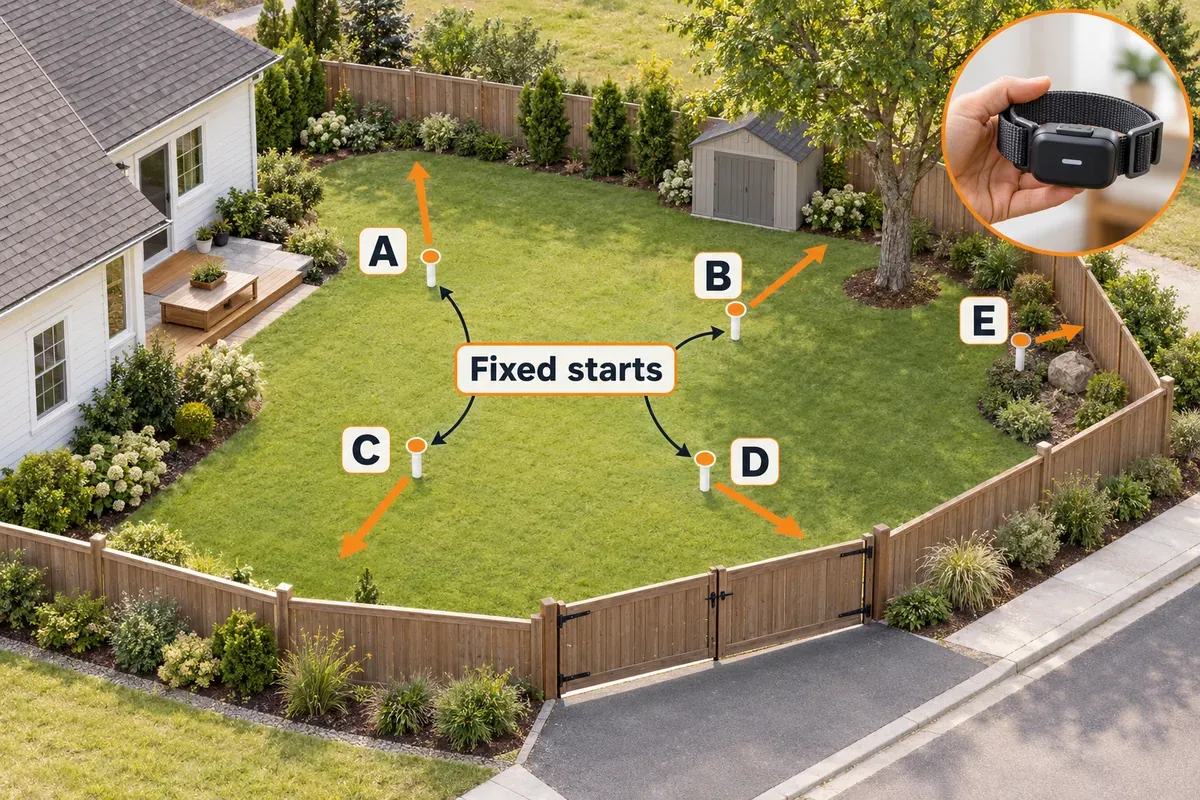
Sketch the yard with the house, driveway, gate, sheds, trees, slopes, and hazards. Mark the RF transmitter location if there is one. Choose four approach paths, labeled A through D, around the area, then add E at the problem spot.
On each path, choose a fixed starting marker clearly inside the intended area. Use a stake, paving joint, or another landmark that will stay in place. Measure outward along the same path from that marker to the first warning. Record feet or meters consistently. A distance from a fixed start is sufficient for comparing passes; it does not have to be the radius from the transmitter.
For GPS, use the same physical landmarks. A phone’s moving map pin is not an independent measuring reference for a suspected location error. Note where you actually stood as well as what the app displayed.
Choose approach paths that stay on your property and stop before hazards. If a full four-sided test is impossible, identify the untested side in your notes. Do not treat a partial test as approval of the entire perimeter.
Keep the setup information with the measurements
Record these once for each session:
- Date, time, model numbers, and receiver identity if you have several collars.
- Collar battery indication or charge status; base power indicator and adaptor identity.
- RF base room, floor, mounting height, switch, and dial position; or GPS fence name, assigned pet, and app/firmware version if available.
- Receiver height, orientation, approach direction, and walking pace used for the model’s test.
- Parked vehicles, nearby metal or equipment, overhead cover, and the exact condition you changed.
- Weather or other observations you want to compare later. An observation is not proof of a cause.
A photo of the base, its settings, and the problem location makes a later support request easier to follow.
Copy this measurement sheet
Use one row per point and per condition. The blank cells are for your own readings. Enter the distance to the first warning in each pass; keep any test-light result or GPS status in the final column.
| Point / condition | Pass 1 warning distance | Pass 2 warning distance | Pass 3 warning distance | Status, output, or safe stop |
|---|---|---|---|---|
| A / unchanged setup | — | — | — | — |
| B / unchanged setup | — | — | — | — |
| C / unchanged setup | — | — | — | — |
| D / unchanged setup | — | — | — | — |
| E / problem spot | — | — | — | — |
| E / one recorded change | — | — | — | — |
Three passes are a practical way to reveal a pattern, not a manufacturer-certified safety test. Return far enough inside the area for the receiver to return to its ready state before each approach. Use the model’s reset or timeout instructions; repeatedly hovering at the edge can make the next pass incomparable.
Keep warning onset and electrical output separate. If the tone occurred but the test light did not flash, record both facts. Likewise, “no warning before safe stop,” “No GPS,” and “Time Out” are different outcomes. Do not turn any of them into a distance of zero.
Compare spread and movement separately
For a point with three valid warning distances, its observed spread is the largest distance minus the smallest. Retain the individual readings. An average hides the earliest warning and the farthest approach that remained unannounced.
Compare the same point across sessions, and repeat at another time with the everyday setup restored. A single improved pass beside a moved car does not establish a dependable yard boundary.
There is no universal acceptable spread for every RF or GPS fence. Use your model’s instructions and ask support about unexplained movement. Even a small spread is unacceptable for your layout if it reaches a hazard, removes an essential walking route, or causes warnings in the dog’s intended resting area.
RF fences: test power, placement, and the same approaches
Circular RF systems respond to communication with the transmitter. PetSafe’s wireless-system troubleshooting links excessive fluctuation with possible interference, recurring trouble in one location with large metal objects, and reduced usable area with significant slopes.
Those patterns help choose the next check. They do not prove that a transmitter or receiver is defective.
1. Establish steady power before mapping the yard
With the receiver off the dog, check that the approved adaptor is seated at the outlet and base. Record the indicator before and after the session. Note any switched outlet, timer, accidental unplugging, or power interruption that coincides with the problem. Inspect accessible cables for damage; do not open mains-powered equipment.
PetSafe has a separate diagnostic page for a flickering, dimming, or blinking red base light. It directs owners to confirm the original adaptor and its connections, then replace the adaptor for that symptom. This is a power-supply route to follow with the correct base model, rather than evidence that a stronger receiver is needed.
For the collar, follow its own battery instructions. The supplied PIF-300 receiver uses a replaceable RFA-67 battery; the PIF00-13663 receiver is rechargeable. A charge indicator and a low-battery indicator are different observations. Write down which you saw rather than assuming that a collar connected to a charger has charged successfully.
If power is absent, flickering, or the collar will not retain charge, stop the perimeter comparison until that fault is resolved. Otherwise the test mixes a power problem with a placement problem.
2. Fix the base position and leave it there for the comparison
PetSafe’s wireless-base location guidance calls for a ventilated, climate-controlled indoor location on the ground floor, at least 2 ft (0.61 m) above the floor and 5 ft (1.52 m) from metal. Check the other side of the wall as well as the objects you can see. A water-tight box does not provide climate control or ventilation.
The PIF-300 and PIF00-13663 manuals specify a 3 ft (0.91 m) metal clearance. The linked support guidance uses the more conservative 5 ft distance for troubleshooting. Document the clearance you tested; neither number promises a stable boundary at every site.
Mark the base’s position and orientation. Photograph the dial and boundary switch so a knocked setting is easy to identify. Do not move the base and change the radius during the same comparison. You would lose the ability to tell which change affected the result.
Moving the transmitter changes the center of the intended circle. Retest the whole area after a move, even if you are only trying to improve one side.
3. Repeat outward approaches at receiver height
For PIF-300, page 10, and PIF00-13663, page 12, the boundary-flag test holds the receiver at the dog’s neck height with its logo facing away from the transmitter and the supplied test light on the contact points. Keep that position consistent and follow the model’s walking method. Do not swing the collar by its strap or compare a waist-height reading with a reading close to the ground.
Start well inside the area and approach A, B, C, D, and E from the same direction each time. Note the first warning; check output with the tool only as directed. Return inside and allow the receiver to reset before the next pass.
If you test a second direction at E, label it separately. Approaching beside a shed is not the same path as approaching the shed from the house. Mixing them in one row creates the appearance of variation even though you changed the test.
4. Change one suspected condition
Choose the next comparison from the pattern you recorded:
- If the same spot fails beside a parked vehicle, move the vehicle when safe and repeat E. Then restore the usual parking condition and compare again.
- If the base is surrounded by electronics, reduce nearby nonessential devices one at a time where practical and repeat the affected approaches.
- If the base is beside a large metal object, test a compliant base location. Record it as a new setup and repeat every approach.
- If warnings occur mainly on a slope, compare the upper and lower routes at the same receiver height. Increasing the radius does not establish that both routes are usable.
A change that improves the test supports a site-related explanation. It does not prove that a particular device emits interference or that the hardware is fault-free. If the location cannot remain in the successful condition during daily use, the improvement may not be a workable solution.
Avoid turning off safety equipment or opening appliances to make a test pass. Keep the investigation to accessible placement, permitted settings, and safe changes.
5. Reposition flags only after a stable result
Flags show the dog a visible boundary; moving a flag does not change the radio field. PetSafe’s wireless troubleshooting guidance suggests moving training flags inward by 5% to account for fluctuation in its wireless systems. That is model-family guidance, not a GPS accuracy rule or a guarantee of a safe setback from a road.
Use the measured warning positions and the model’s placement instructions. Do not select the farthest reading because it gives the largest yard. Keep the usable area inside the earliest warning position and any required margin. If the remaining space is too small or the warnings still appear unpredictably inside it, pause use and contact support.
GPS fences: separate position, boundary, and phone connection
GPS containment has several distinct things to check. The collar needs usable positioning, the intended fence must be saved and assigned correctly, and the phone needs a connection to receive updates and notifications. A failure in one can resemble a failure in another.
The US Coast Guard Navigation Center’s GPS fault categories include blocked satellite signals beneath dense canopy or indoors, equipment and power faults, and antenna-orientation problems. A location error beside a building calls for a different comparison from an RF circle that changes when its transmitter moves.
1. Start with the collar in open sky
For Guardian GPS 2.0, follow the GPS/LTE signal troubleshooting: remove the collar from the dog, confirm sufficient charge, and take it outdoors away from buildings. Hold the antenna upward without covering it with your hand, and keep it off vehicles. Follow the documented outdoor power-on sequence if it cannot acquire a signal.
Record the reception state before each test. The signal LED can indicate a GPS or LTE connection problem; a slow red blink alone does not identify which connection is missing. Check the app status and use the model’s signal guidance instead of treating every red light as GPS drift.
Begin with an open-sky approach, then compare the troublesome route beside a building or under cover. Keep the saved fence unchanged. If the open route repeats and the covered route fails, the evidence points toward reception or site suitability. If both fail, continue with the assigned-fence and saved-update checks before blaming the trees.
2. Confirm the fence actually saved to the collar
Check the intended fence name and the pet assigned to it. A correct drawing in the app is insufficient if the collar has not received that version.
PetSafe’s Guardian GPS 2.0 fence-editing instructions require the collar to be off the dog, near the phone, and off the charger while fence changes are transferred by Bluetooth. Complete the save and transfer, then test. Record the fence version or keep a dated screenshot so you know which shape produced the readings.
Firmware updating is a separate task. For unexpected activation, the Guardian GPS 2.0 troubleshooting page recommends leaving the collar on its charging base overnight to update. Complete the update before starting a comparison; do not edit the fence, update firmware, and change the test route together.
3. Use the Guardian boundary test, not an RF test
Open the Guardian GPS 2.0 boundary-test procedure, select the fence, and use “Edit & Test Fence.” Begin where the collar status reads “Safe.” With the antenna facing the sky, approach at the manufacturer’s specified brisk pace and record the first “Warning” or “Correction” state and the collar’s response.
Record a “Time Out” separately from a missing boundary. For this model, PetSafe instructs you to move 15 ft (4.57 m) back inside for at least 30 seconds before testing again after a timeout. That reset condition is specific to Guardian GPS 2.0.
Keep an electrical-output check separate from warning-distance comparisons. Use the supplied tool with the collar off the dog and follow the matching model instructions. A test setting does not determine an appropriate setting for an animal.
4. Check whether the property can accommodate this model
A neatly drawn line on a map can still create an unusable fence. For Guardian GPS 2.0, PetSafe’s layout requirements include:
- A fence covering at least 1/2 acre, approximately 2,023 m².
- Digital fence posts at least 25 ft (7.62 m) per building story away from structures.
- Opposing boundary lines at least 35 ft (10.67 m) apart to avoid narrow passages.
- Simple shapes without crossing lines or sharp corners, with clear sky where possible.
- Digital fence posts at least 15 ft (4.57 m) from roads and other dangerous areas.
These are requirements for the named model, not a safe-yard formula for every GPS fence. The road spacing does not make a virtual boundary suitable as the only protection from traffic.
Measure the actual available space. If building clearances or narrow routes cannot fit, do not keep shifting the line outward to silence the warnings. Consider a physical enclosure or another layout that can work within your property. Ask the manufacturer about any instructions that appear to conflict with your existing fence or property line before applying them.
5. Investigate phone reporting independently
Record the time of the collar warning, the time and age of the location displayed in the app, and the arrival time of any notification. A delayed map update is not the same observation as a delayed collar warning.
PetSafe’s Guardian notification troubleshooting says cellular interruptions or a phone-service problem can delay or prevent notifications. Check the active subscription, collar connection, phone notification permission, and notification settings in the app.
GPS satellite reception, LTE reporting, and the base’s Wi-Fi connection do different jobs. The Guardian GPS 2.0 support page specifies 2.4 GHz Wi-Fi for setup and updates, along with subscription and cellular-service requirements. A working Wi-Fi connection does not prove that the collar is receiving GPS or that the phone is receiving alerts.
Do not assume every GPS fence responds identically when cellular service drops. Use the exact model’s documented behavior and ask support if it is unclear. Continue physical supervision or enclosure while reception, notifications, or collar behavior remain uncertain.
What your results mean
Use the pattern to select the next action. These are working fault classes to investigate, not diagnoses of a failed component.
| Repeatable result | Fault class to investigate | Next action |
|---|---|---|
| RF base power is unstable or the indicator changes during testing | Power supply or connection | Follow the base’s power diagnostic; resolve this before measuring placement |
| Several RF approaches change after a moved base or altered dial | Setup or boundary geometry | Restore or document the intended setup, then remap the whole perimeter |
| One RF location changes with a vehicle or another local condition | Site obstruction or interference | Test the everyday condition; keep the affected area unavailable until resolved |
| RF trouble follows a slope while flatter routes repeat | Terrain and site suitability | Compare upper and lower routes; assess whether a usable circle remains |
| One compatible receiver fails while another repeats on the same paths | Receiver, battery, or compatibility | Record both receiver identities; ask support to confirm the replacement part |
| GPS fails mainly under cover; open-sky tests repeat | Reception or site suitability | Check antenna position and layout clearances; avoid the unsuitable route |
| GPS warns against the wrong saved shape or pet assignment | Fence configuration or transfer | Correct the assignment, finish the documented transfer, and retest |
| Collar warnings repeat, but the app pin or notifications lag | Reporting or phone connection | Check timestamps, subscription, connection, and notification permissions |
| No repeatable pattern, or warnings appear unexpectedly inside the intended area | Unresolved fault | Keep the dog physically secured and send the test record to the manufacturer |
If you have a second compatible receiver, compare it on the same paths under the same conditions. A fault that follows one receiver makes a receiver-related problem more plausible; a problem shared by both points you toward the setup or site. This comparison is useful evidence for support, but it does not identify which internal component failed.
A stable handheld test does not explain every escape
Separate “the equipment responded at the expected place” from “the dog remained inside.” A dog can cross a correctly operating virtual boundary. Do not label that escape as signal fluctuation without a measured change.
Check compatibility, battery status, and fit using the specific receiver manual. PetSafe provides circular-system receiver compatibility guidance and a fence-collar fit guide; Guardian GPS 2.0 has its own fit instructions in its user guide. Do not transfer an orientation or contact-point instruction from a visually similar receiver.
Stop use if the collar causes redness, sores, or distress. Seek veterinary advice for injury and qualified behavioral help if the dog becomes fearful or repeatedly escapes. Use the manufacturer’s model-specific training materials for any later reintroduction. Repeatedly increasing correction is not a troubleshooting method.
What to send manufacturer support
Send the model and receiver identifiers, your yard sketch, settings photos or saved fence screenshot, battery and power status, and the completed readings. Include the exact time of at least one reproducible failure and a short video of the handheld response if you can record it safely.
Describe the change that affected the result and whether restoring the original condition brought the problem back. Ask a specific question: whether the measured variation fits that model’s guidance, whether the site is suitable, or which compatible part needs checking. “Point E warns inside the intended area with the vehicle parked there” gives support more to work with than “the fence is unreliable.”
Repair, replace a part, or change the boundary type
Make this decision after you have a fault class. A correct battery or adaptor replacement can be enough for a power problem. A receiver replacement will not reshape a circle, and a different circular transmitter may face the same obstruction at the same site.
Keep circular RF when the site and power checks succeed
The PetSafe PIF-300 provides up to 1/2 acre of circular coverage with a replaceable-battery receiver. Retaining it makes sense when a compatible battery or approved power-supply fix restores repeating tests and the circle leaves the required margins. Confirm the exact replacement part before purchasing a whole system.
Check current price on Amazon →The Stay & Play for Stubborn Dogs PIF00-13663 has a rechargeable receiver and up to 3/4 acre of circular coverage. Rechargeability addresses a maintenance preference; it does not establish better performance around your shed, slope, or driveway. Treat “Stubborn Dogs” as the product name, not as a diagnosis or a reason to increase correction.
Check current price on Amazon →Consider GPS only when reception and layout fit
Guardian GPS 2.0 PIF00-18096 supports custom digital boundaries and tracking. It can address the inability of a circular system to follow your intended layout, provided the property meets this model’s area, reception, and clearance requirements. Allow for charging, subscription service, and communication checks. A cramped yard or roofed run does not become suitable merely because you can draw a custom line.
Check current price on Amazon →Consider a boundary wire for a custom electronic layout
The SportDOG SDF-100C sends its signal through a continuous boundary-wire loop. It can follow a planned layout without an RF transmitter defining a free-standing circle. Before choosing it, account for wire routing, maintained splices, loop integrity, and the correct SDF-100C-compatible receiver. It remains an electronic deterrent, with its own failure modes and training requirements.
Check current price on Amazon →Use physical containment when escape must be prevented
A closed physical enclosure provides a barrier independent of satellite reception, receiver charge, and app messages. Its construction still has to suit the dog: inspect height, digging points, gaps, latches, anchoring, and any climbing opportunities. Maintain it and supervise according to the dog’s behavior and conditions.
Where an escape could put the dog in traffic, threaten another animal, or cause injury, choose containment that addresses that consequence directly. Tracking can help with recovery if an escape occurs. It cannot substitute for a secure gate, sound fence, suitable run, or leash control.
Keep a useful baseline after troubleshooting
Retain the map and the successful readings with the equipment manual. Recheck after moving the transmitter, changing its settings, transferring a GPS boundary, or making a site change near a previously troublesome area. PetSafe’s model manuals require boundary testing after transmitter adjustments; your old flags are not evidence of the adjusted result.
Keep battery maintenance specific to the receiver. The PIF00-13663 manual, for example, gives its own charge-indicator guidance; it should not inherit a charging routine from Guardian GPS 2.0. Check the actual status before outdoor use instead of relying only on an advertised maximum battery duration.
If the same unexplained fault returns, compare it with your saved baseline and reopen the support case. Do not keep moving markers to follow it.
Frequently Asked Questions
How much wireless dog fence boundary fluctuation is normal?
There is no single tolerance for every model and installation. For PetSafe circular systems, use the linked fluctuation and flag guidance; for GPS, use the model’s reception and layout requirements. Record the spread at fixed points and ask the manufacturer to assess unexplained results.
Why does the collar warn in the middle of the yard?
For circular RF, check base power and placement, a local metal obstruction, and slope. For GPS, check reception, the assigned fence, and whether the edited boundary reached the collar. A warning at the same physical spot is different from an app pin that jumps while the collar remains quiet. Record which happened.
Can I move the flags farther out to recover lost yard space?
Moving flags cannot enlarge or stabilize the electronic boundary. First repeat the measurement and apply your model’s placement guidance. If the remaining usable area cannot accommodate the dog and safe margins, change the containment plan.
Does a GPS fence work without cellular service?
The answer is model-specific. GPS positioning and cellular reporting are separate functions, but that does not establish what an individual fence does during a service interruption. Guardian GPS 2.0 specifies cellular and subscription requirements and warns that notifications can be delayed or absent. Confirm the exact system’s behavior before relying on it.
Will rain or a different time of day explain a moving boundary?
Record the conditions, then repeat with the same settings, receiver position, and approach. A change that coincides with weather or time is not enough to identify the cause. For RF, inspect power, base environment, and nearby objects; for GPS, record reception and compare an open-sky route. Send recurring unexplained patterns to support.
Can a tracker with escape alerts replace a dog fence?
An escape alert tells you to respond to a reported crossing. It does not provide a physical barrier. Some collars combine GPS containment and tracking, while others provide location and notifications only. Check the function of your exact model and keep recovery tools separate from the enclosure or leash that prevents access to danger.
When should I stop testing and contact support?
Stop when the collar warns unpredictably inside the intended area, cannot establish the required reception, has unstable power, or fails to warn before your safe stopping point. Also pause if a repeatable test still leaves no workable margin from a hazard. Keep the dog physically secured and send your recorded model details, conditions, and readings.
Sources and model instructions
- PetSafe PIF-300 product manual: safety, receiver preparation, boundary setup, and troubleshooting.
- PetSafe PIF00-13663 product manual: rechargeable receiver, power-loss alarm, indicators, and model-specific setup.
- PetSafe circular-wireless troubleshooting: fluctuation, local metal, slopes, and training flags.
- PetSafe wireless-base placement: climate control, ventilation, height, and metal clearance.
- PetSafe wireless-base power-light diagnostic: approved adaptor and flickering indicator.
- PetSafe containment-boundary test: handheld test-light check at four areas.
- Guardian GPS 2.0 user guide, PIF00-18096: stored boundary, fit, warnings, and operation.
- Guardian GPS 2.0 boundary test: app status, antenna position, test walk, and timeout recovery.
- Guardian GPS 2.0 GPS/LTE troubleshooting: battery, outdoor signal acquisition, and antenna handling.
- Guardian GPS 2.0 fence editing: assignment, transfer, and layout requirements.
- Guardian GPS 2.0 unexpected activation: fence checks and updating on the charging base.
- Guardian GPS 2.0 notification troubleshooting: cellular dependency and phone permissions.
- US Coast Guard Navigation Center: GPS incidents and anomalies: signal blockage, equipment, and antenna-related fault categories.
- Tractive: how Virtual Fences work: location-based notifications.
- VCA Animal Hospitals: invisible-fence benefits and limitations: entry by other animals and escape risks.